Understand what’s wrong with your car
Connect your Bluetooth OBD2 dongle, scan for fault codes, and let AI explain exactly what’s happening — in plain English. No mechanic jargon, no guesswork.
Tested & supported devices
Features
Everything you need to diagnose your car
From reading live sensor data to AI-powered fault analysis — all in one app.
Bluetooth OBD2 Connection
Connect a Bluetooth OBD2 dongle to your phone and start pulling live engine data, sensor readings, and system parameters directly from your car's ECU. We recommend the adapters listed above, but you're welcome to try yours — compatibility may vary.
AI Fault Code Analysis
When your engine light comes on, get an instant plain-English explanation of every DTC — what it means, what likely caused it, and what to do next.
Live Diagnostics Chat
Have a conversation with AI about your car's health using your live OBD2 data as context. Ask follow-up questions, describe symptoms, and get actionable guidance.
Vehicle Compatibility Check
Already have a dongle? Connect it to the app for free and see exactly what your vehicle exposes — even if your adapter isn't on our officially supported list.
App Gallery
See it in action
Real screenshots from the app running on a live OBD2 connection.
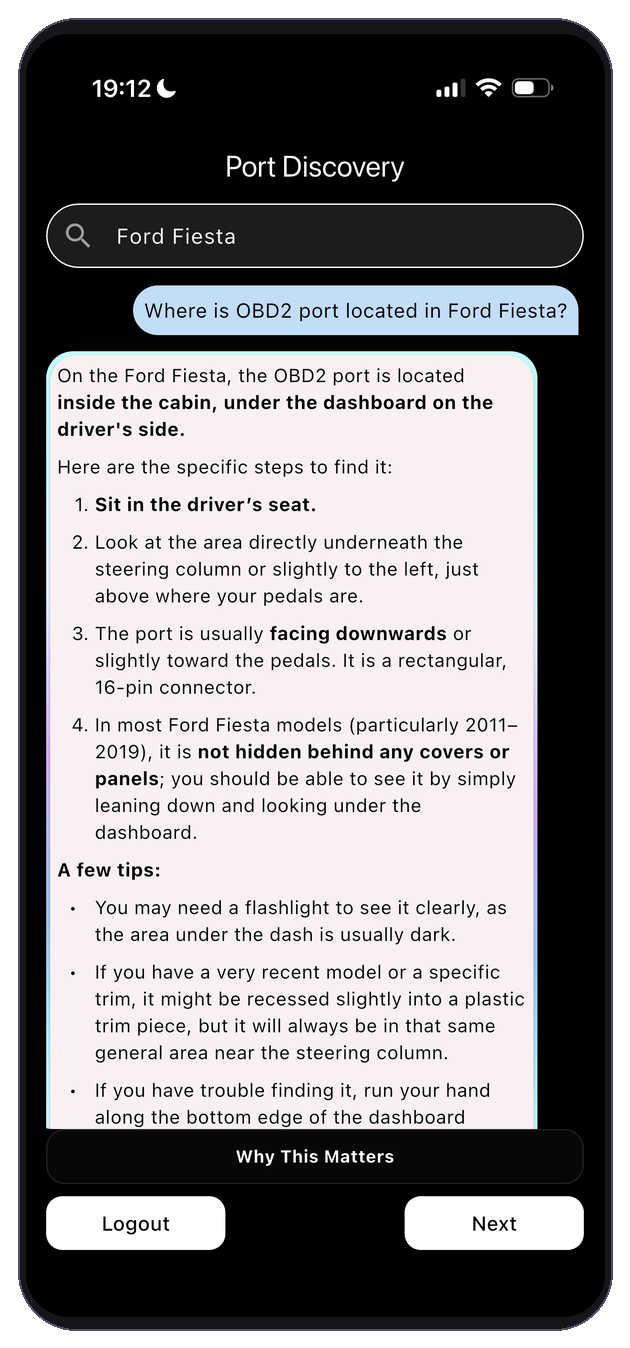
Search for your vehicle to locate the OBD2 port and ensure the best possible connection before you start.
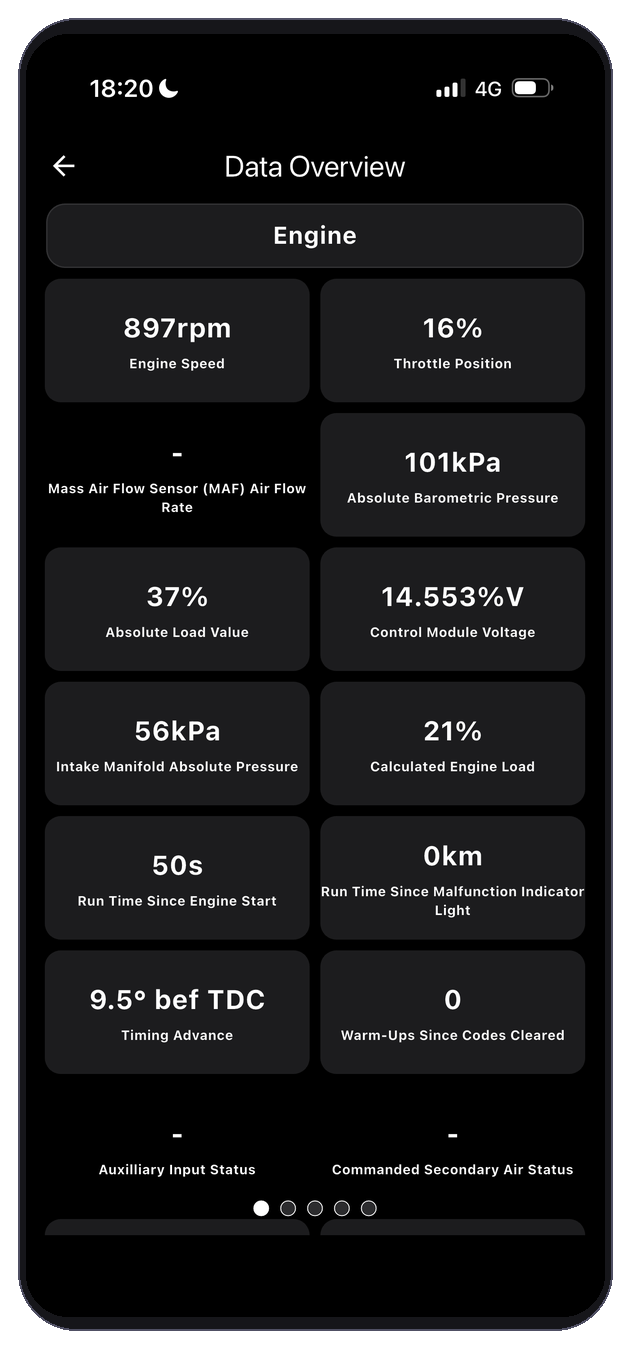
Real-time sensor readings pulled directly from your car's ECU — RPM, throttle position, MAF, temperature, and more.
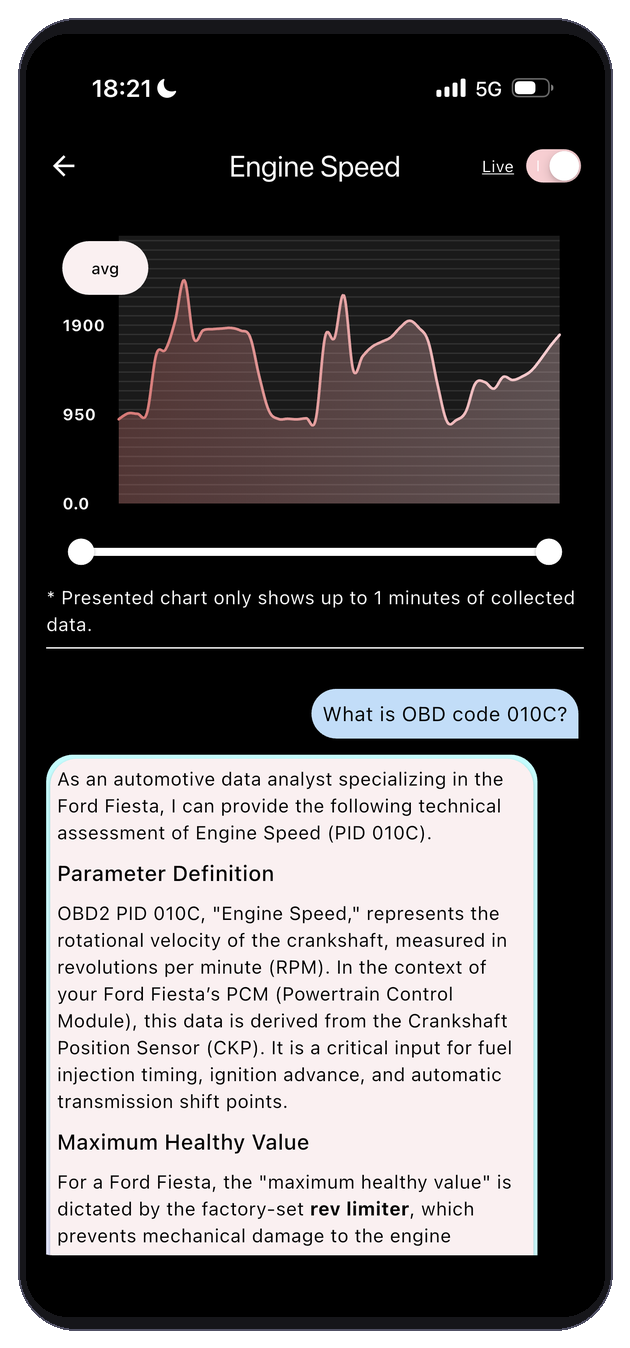
Visualise any OBD2 parameter as a live graph and ask the AI questions about what the data means.
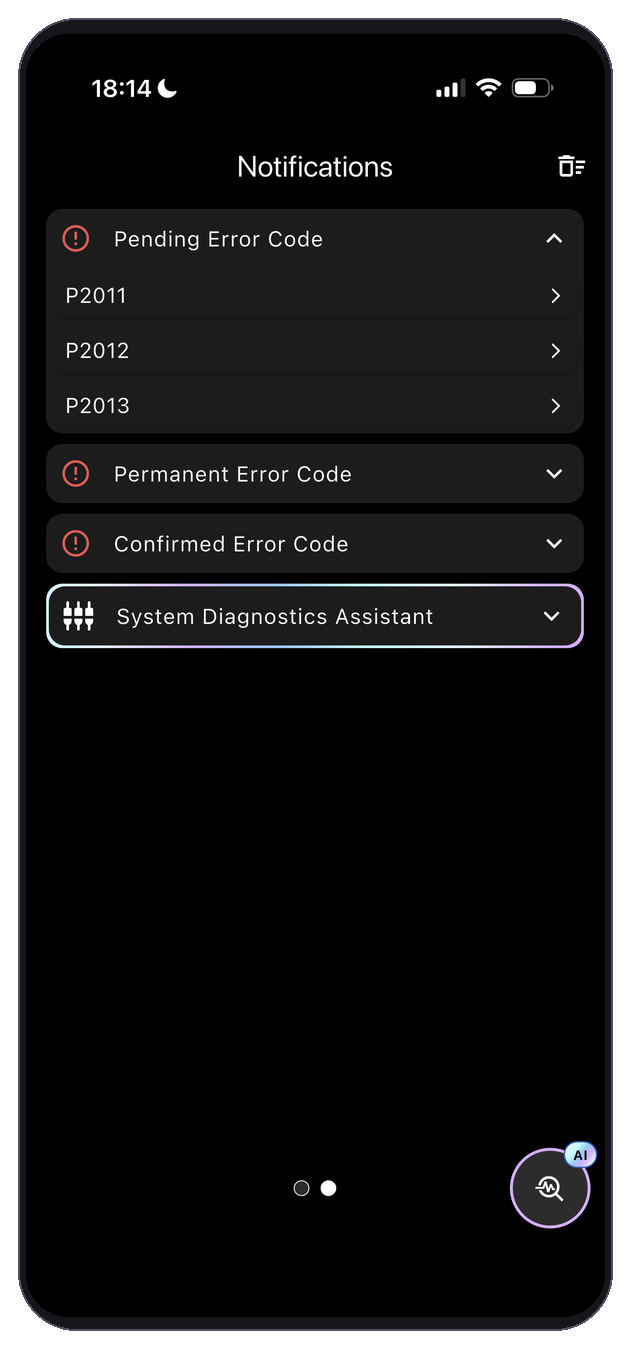
Confirmed, pending and permanent fault codes are grouped and explained so you know exactly what needs attention.
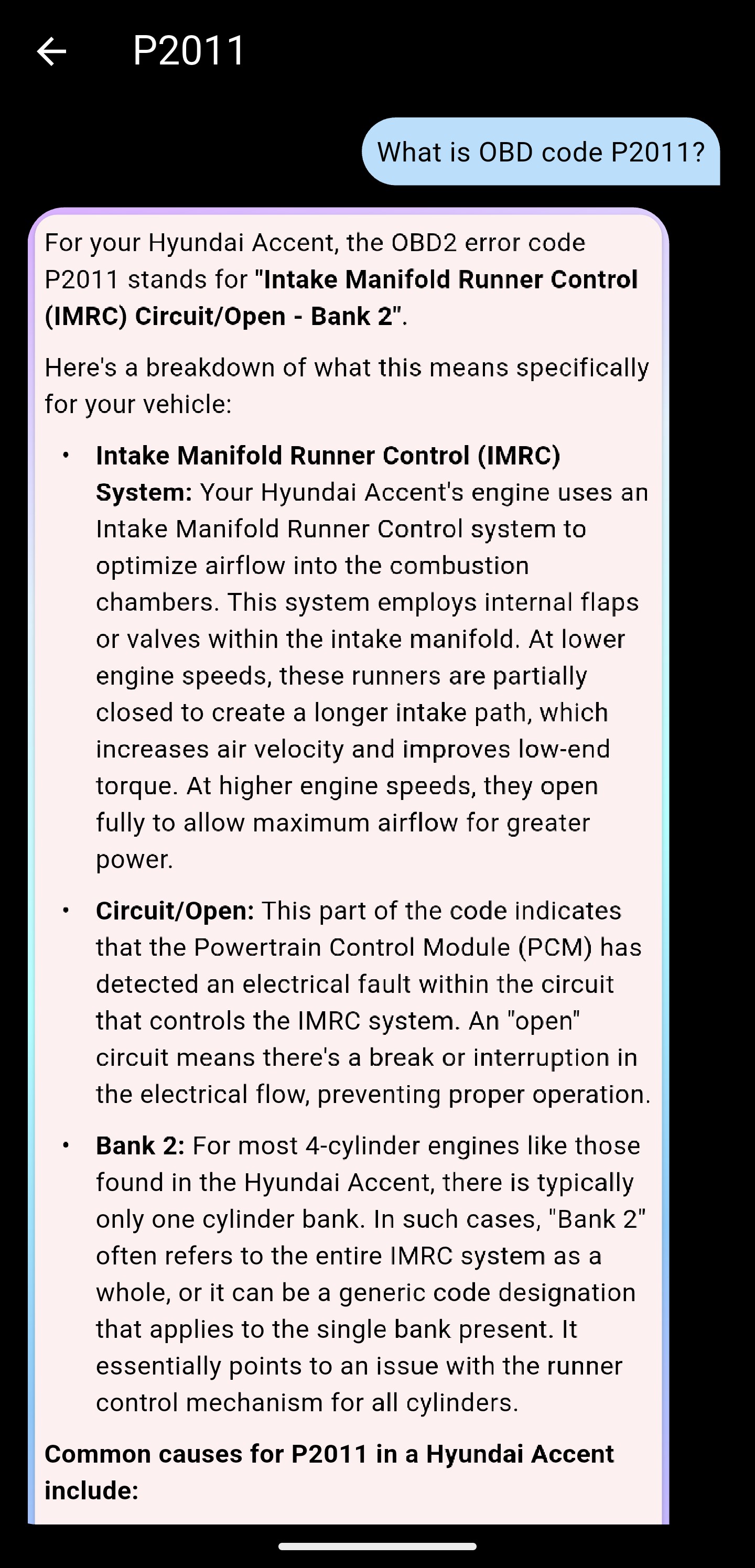
Engine light on? Get a plain-English breakdown of every DTC — what it is, what caused it, and what to do.
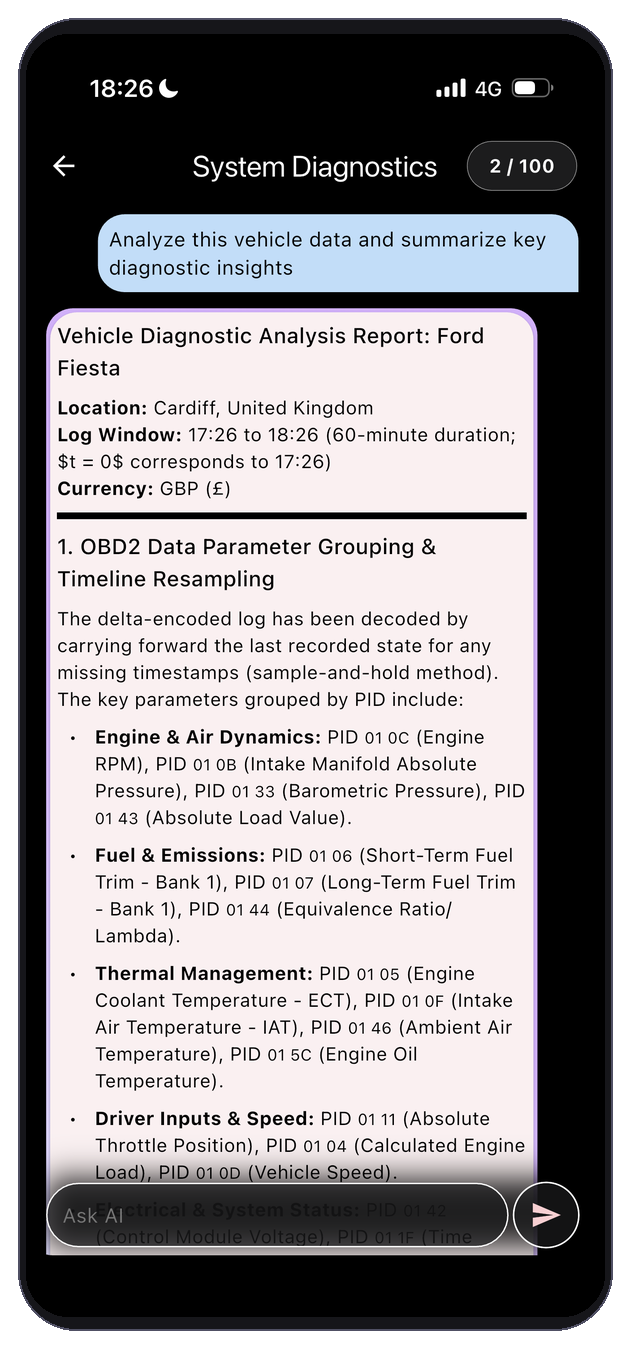
Ask the AI to analyse your full vehicle dataset and summarise key diagnostic insights in seconds.
How It Works
Up and running in three steps
No specialist knowledge needed. If your car has an OBD2 port, you’re ready to go.
Plug in your OBD2 dongle
Connect any standard Bluetooth OBD2 adapter to the diagnostic port under your dashboard. Most cars made after 2001 have one.
OBD-II port usually found beneath the steering columnConnect via Bluetooth
Open Itheia Car Diagnostic AI, scan for nearby Bluetooth devices, and tap to connect to your OBD2 dongle. The app handles the rest.
Supports ELM327-compatible adaptersGet instant AI insights
Read live sensor data, scan for fault codes, and chat with AI about your car's health — all using your real-time OBD2 data as context.
Using advanced AI modelsDownload
Ready to diagnose your car?
Connect your OBD2 dongle and start getting AI-powered insights in minutes.
Free
No payment required
- ✓Live OBD2 data & fault codes
- ✓Vehicle compatibility check
- ✓OBD2 port finder
- ✕AI diagnostic chat
Basic
Subscription
- ✓Everything in Free
- ✓AI fault code explanations
- ✓AI diagnostic chat
- ✓Limited messages per month
Pro
Subscription
- ✓Everything in Basic
- ✓Much higher message limits
- ✓Advanced AI models (Gemini Pro)
Itheia Car Diagnostic AI is for informational purposes only and is not a substitute for professional mechanical advice. Never use the app while driving.